Channels
A channel is a place customers write to you. An inbox is one connected channel inside your workspace. Connecting your support mailbox creates one inbox; adding a WhatsApp number creates a second. Everything they receive lands in the same conversation list.
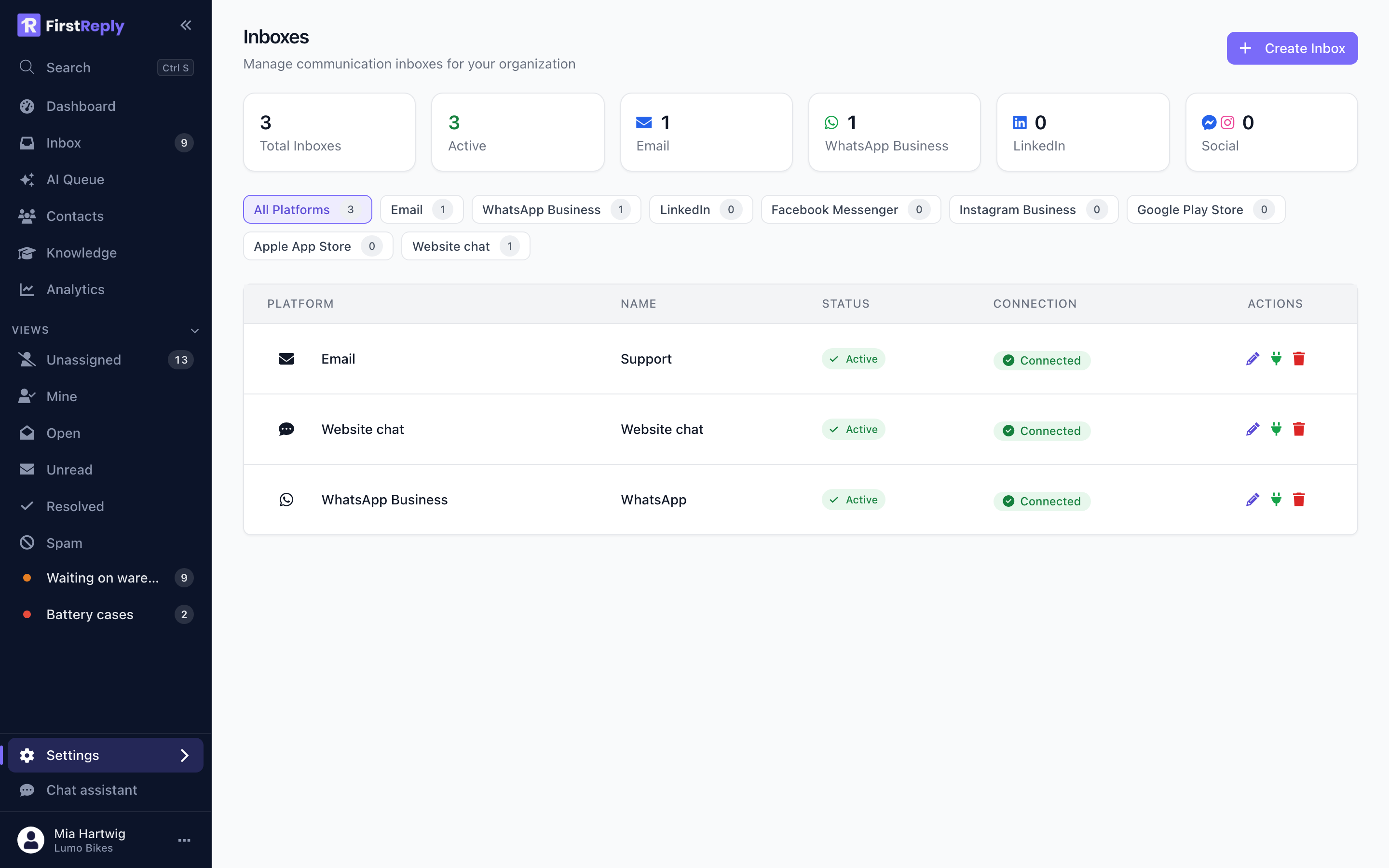
Manage them under Settings → Configuration → Inboxes, or from the Inboxes entry in the settings navigation. Adding one needs the Manager role or higher.
What each channel can do
Channels differ in what their platforms allow. FirstReply enforces those limits in the editor rather than letting a message fail on send.
| Channel | Setup | Reply limit | Formatting | Attachments |
|---|---|---|---|---|
| IMAP/SMTP credentials | none | Rich text | Yes | |
| Website chat | Paste a snippet | none | Plain text | No |
| OAuth (Meta) | 4,096 characters | Plain text | No | |
| Messenger | OAuth (Meta) | 2,000 characters | Plain text | No |
| OAuth (Meta) | 1,000 characters | Plain text | No | |
| OAuth (LinkedIn) | 1,250 characters | Plain text | No | |
| Google Play | Service account | 350 characters | Plain text | No |
| Apple App Store | API key | 5,970 characters | Plain text | No |
"Plain text" means the platform's API accepts text only: bold, links and lists you type in the editor are stripped on the way out. Email is the only channel that carries formatting through.
Adding a channel
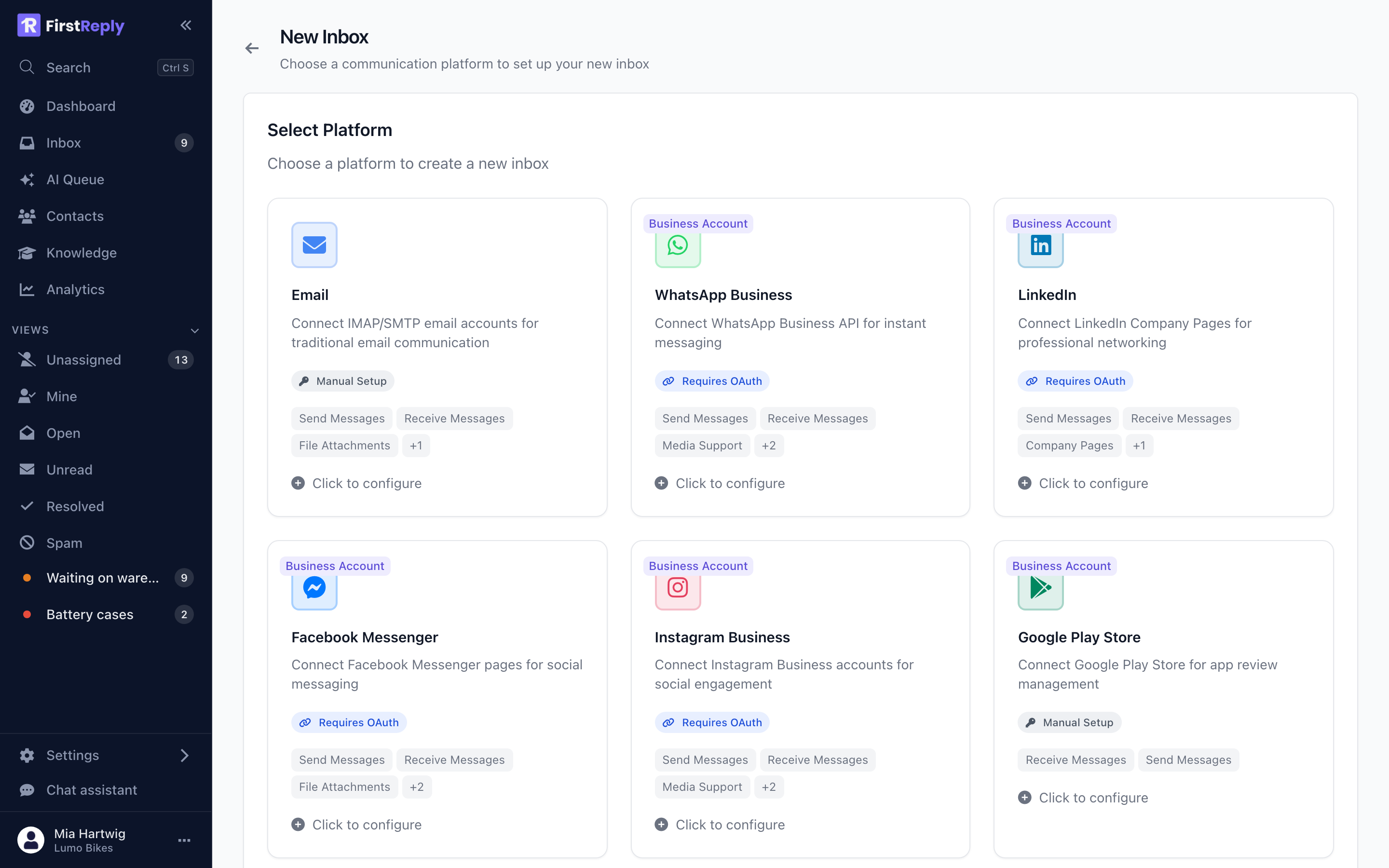
Pick the type, fill in the form or complete the OAuth flow, and give the inbox a name. The name is internal — it is what your team sees in filters and in the conversation header, not something customers see.
Channels fall into three setup styles:
Credentials — Email asks for host, ports, username and password. The password is encrypted before it is stored and never shown again.
OAuth — WhatsApp, Messenger, Instagram and LinkedIn send you to the provider, you approve access, and the account details come back filled in. All four need a business account on the provider's side.
Keys and service accounts — the app stores use their own mechanisms; see App stores.
Health
Each inbox shows whether it is healthy. An unhealthy inbox has failed to connect — wrong password, revoked token, an expired OAuth grant — and stops receiving until it is fixed.
For OAuth channels, FirstReply refreshes tokens before they expire. When a refresh fails because access was revoked on the provider's side, the inbox is marked unhealthy rather than silently going quiet, and reconnecting means running the OAuth flow again.
Use Test connection on the inbox form to check credentials before saving.
Signatures
Email inboxes carry a signature that is appended to outgoing messages. Set it on the inbox, not per person, so replies look consistent whoever sends them. Other channels have no signature: on a 350-character app store reply, one would not fit anyway.
Deleting an inbox
Deleting an inbox stops it receiving. Existing conversations stay in the workspace and remain searchable; you simply cannot reply on that channel any more. If you want to pause a channel rather than remove it, deactivate the inbox instead.