Contacts
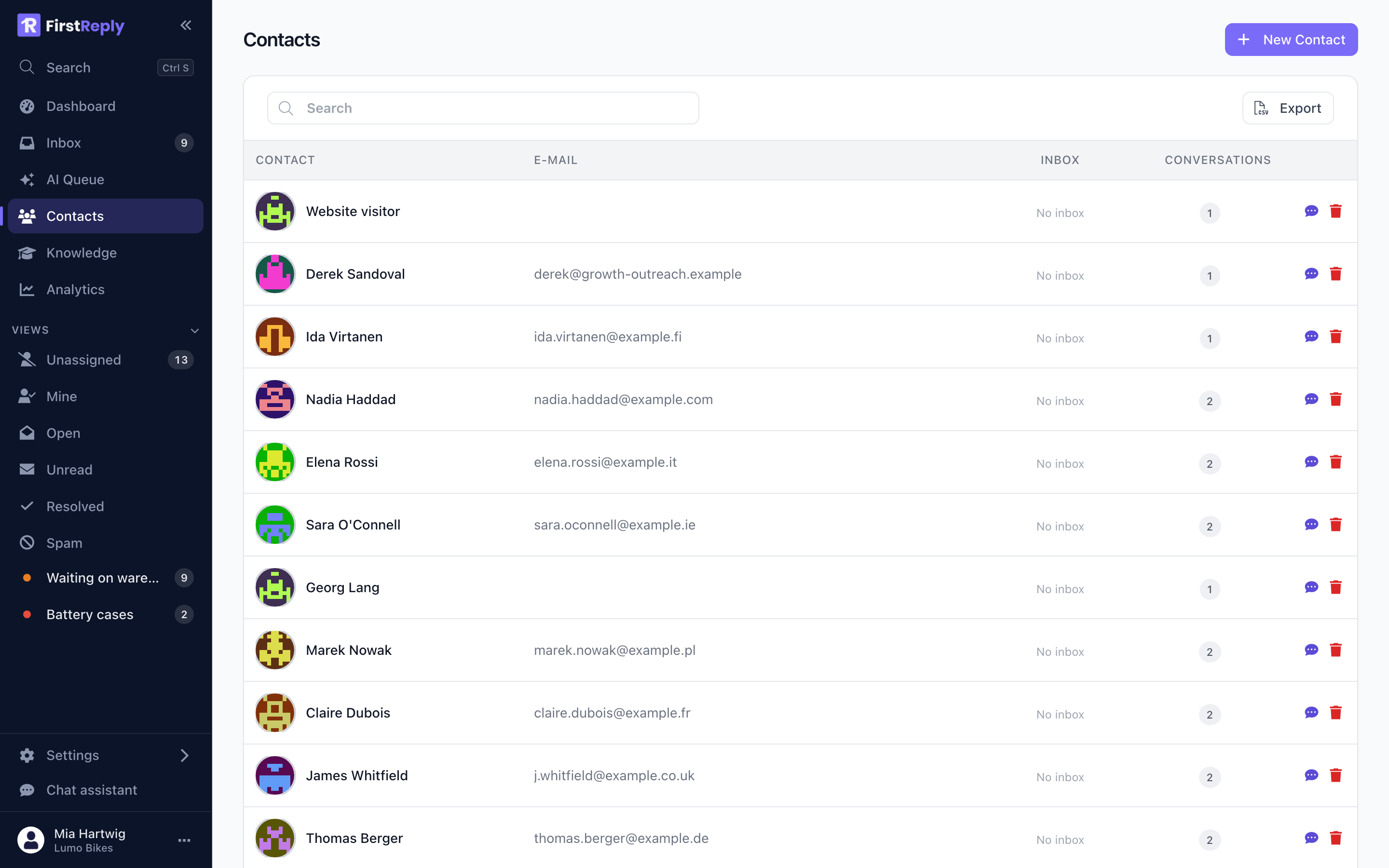
A contact is a person who has written to you. Contacts are created automatically from incoming messages, so the list fills itself.
The list
Open Contacts in the sidebar. Search matches name, email and phone
partially, so a fragment is enough — lind finds Lindqvist, and part of a
number finds the number.
A contact
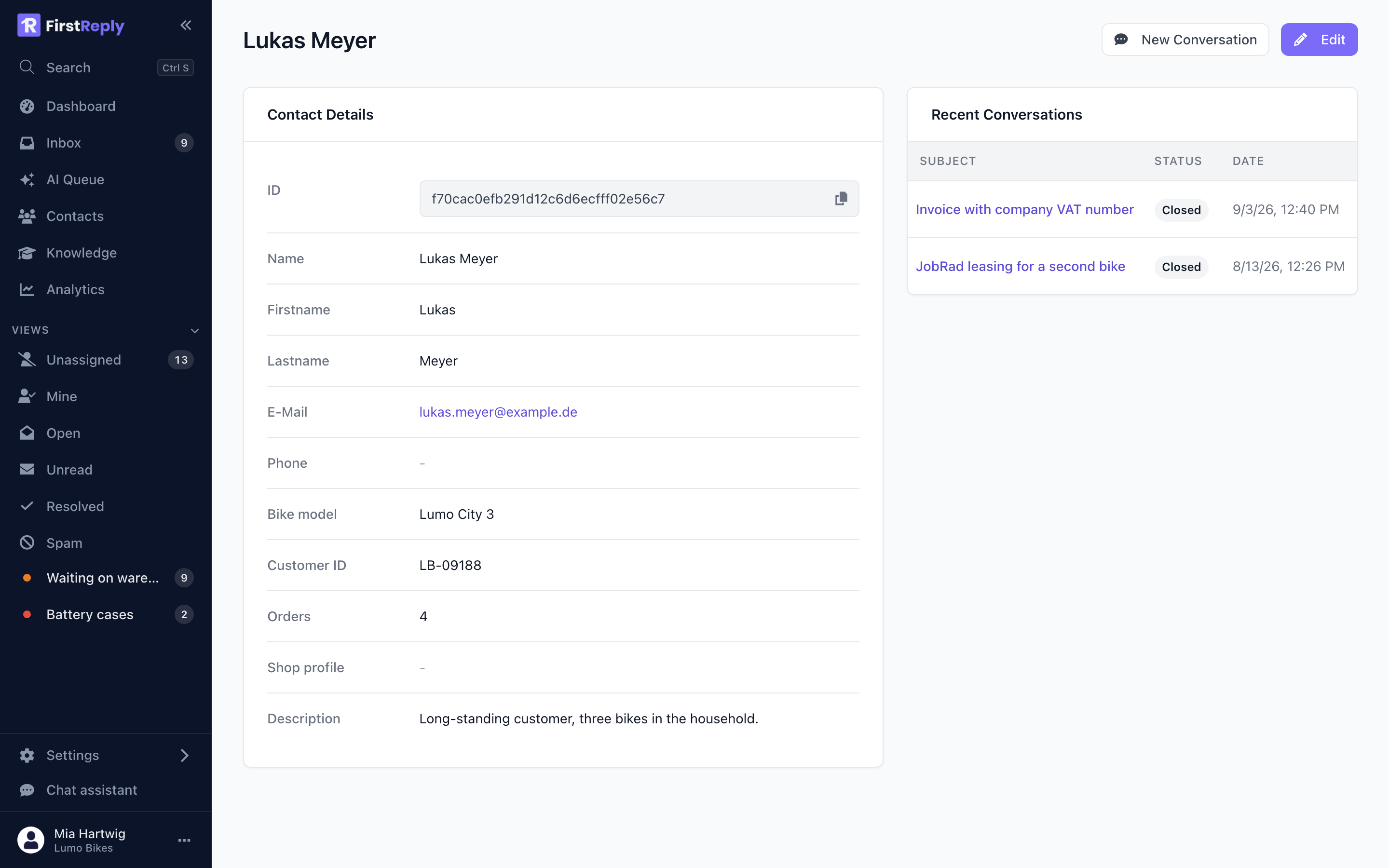
The contact page holds the identity fields, your custom fields, and every conversation this person has had with you across every channel.
That history is the useful part. Before answering "my bike is still broken", seeing the three previous conversations about the same bike changes the reply you write.
New conversation starts an outbound conversation with this contact: pick the inbox to send from, write, send.
How contacts are created
A message from an address or account FirstReply has not seen creates a contact with whatever the channel provides:
| Channel | Identity | Usually also |
|---|---|---|
| Email address | Display name from the header | |
| Website chat | Nothing, until asked | Name and email on hand-over |
| Phone number | WhatsApp display name | |
| Messenger / Instagram | Platform user id | Platform display name |
| Profile id | Full name |
Email is the only channel that gives you a reachable address on the first message. On the others, the address arrives when someone asks for it.
The same person on two channels
Someone who writes by email and later by WhatsApp arrives as two contacts, because the two channels share no identifier. FirstReply does not guess that they are the same person.
Merging joins them: the conversation history combines and the fields are kept. Merge from the contact page. It cannot be undone, so check that it really is the same person — a shared family email address is a common trap.
Editing
Anyone can correct a contact's name, email, phone and description. The description is free text on the contact and shows on the contact page; use it for the standing context that is not a field ("prefers phone", "reseller, not end customer").
Contacts and the inbox
The conversation header shows the contact's name and the custom fields you marked as visible in conversations, so the facts you need are in front of you without opening the contact.
Clicking the name opens the full contact with its history.
Deleting
Deleting a contact removes the person and their custom field values. Conversations are kept, since they are your record of what was said.
For a deletion request under GDPR, deleting the contact removes the personal data held about them. If the conversations themselves must go too, delete those as well.