Search
FirstReply has two searches: one inside the conversation list, and a global one that covers everything at once.
Searching the inbox
The box above the conversation list searches conversations and their messages.
Press / to focus it.
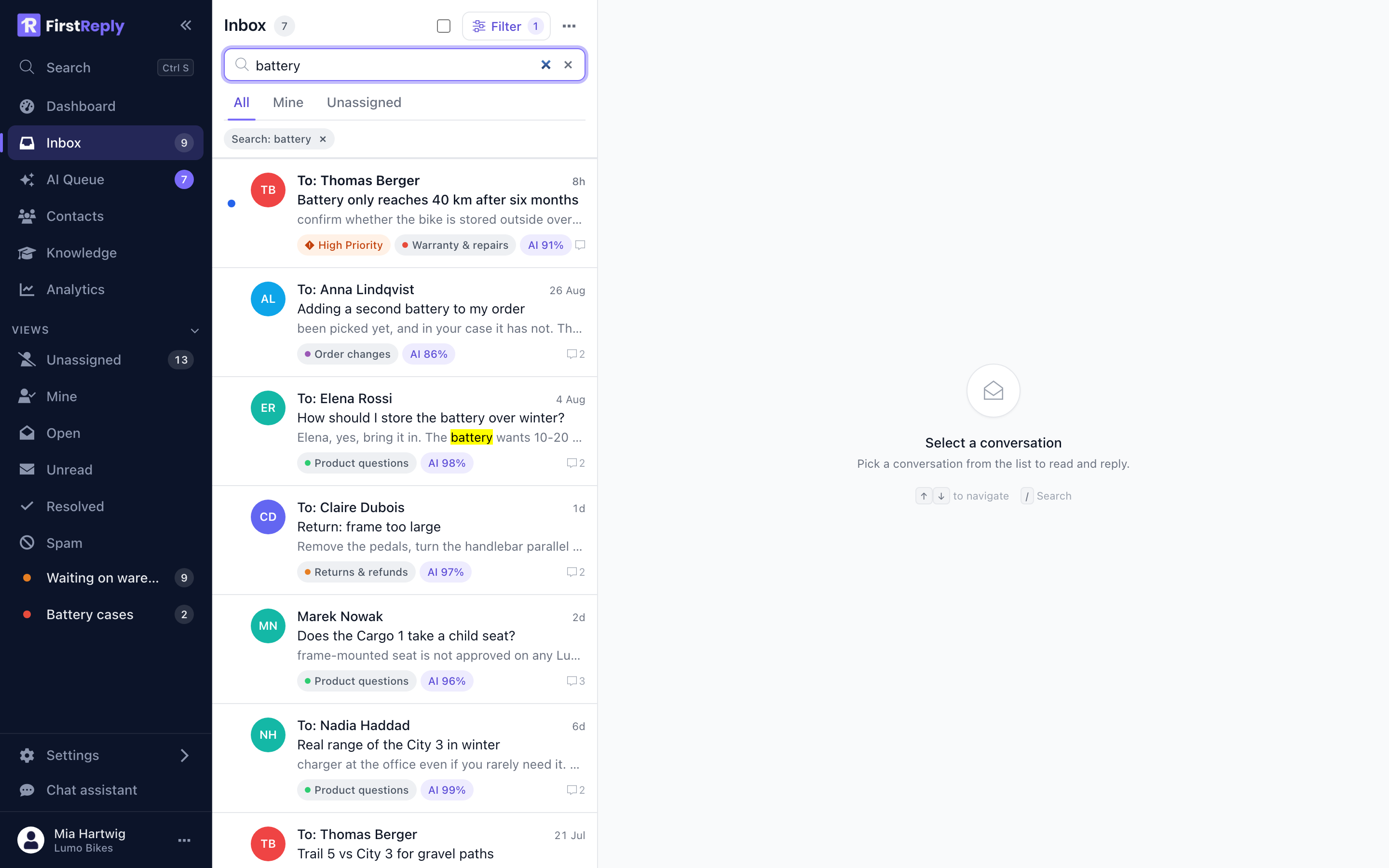
Results are ranked by relevance rather than by date, and each one shows the matching passage with the term highlighted — so you can tell which of eight results is the right one without opening any of them.
Search combines with the active filter. Filter to a category first and the search runs inside it.
Global search
Ctrl S, or Search at the top of the sidebar, opens the palette. It
searches conversations, messages, contacts and knowledge articles in one
request and groups the results by type.
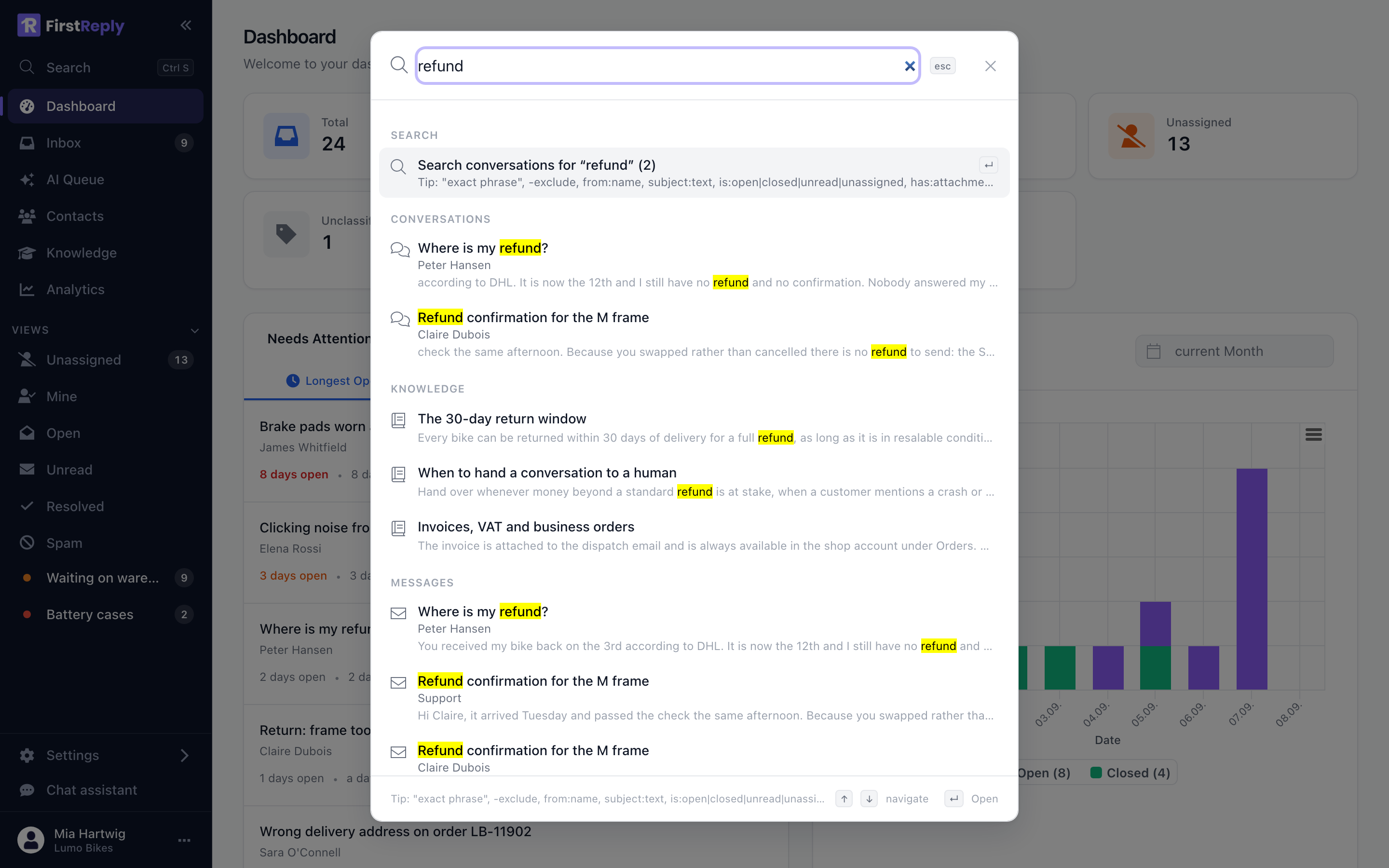
Use it when you do not know where the thing is: a customer name, a phrase from an article, an order number that could be in either.
How matching works
Several words are AND-ed. battery warranty finds conversations containing
both, not either.
Words match as prefixes. deliver finds delivery, delivered and
deliveries. This is why short queries return a lot.
Case is ignored, and so is accent folding in most cases.
Operators
Operators narrow a query without going near the filter panel.
| Operator | Finds |
|---|---|
"exact phrase" | The words in that order |
-word | Conversations without that word |
from:anna | Messages from a contact whose name or address matches |
subject:refund | The word in the subject line |
is:open | Not closed |
is:closed | Closed |
is:unread | Nobody has opened it |
is:assigned / is:unassigned | With or without an assignee |
is:ai | The assistant replied |
has:attachment | Carries an attachment |
has:draft | Has an unsent draft |
before:2026-01-31 | Older than a date |
after:2026-01-01 | Newer than a date |
Operators combine with each other and with plain words:
from:anna is:open battery -warranty
"return label" after:2026-08-01
subject:invoice is:closed
Searching contacts
Contacts are matched on name, email and phone, and matching is partial: lind
finds Lindqvist, and a fragment of a phone number finds the number. You do
not need to know how the name is spelled.
Searching knowledge
The knowledge search in the palette searches the articles the assistant can see. It is the fastest way to check whether something is documented before you answer it by hand — and if it is not, that is the article to write.
When search finds nothing
- Too many words. They are AND-ed. Drop to the two most distinctive.
- A quoted phrase that is not exact. Quotes require the exact wording.
- A filter is still active. Check the chip above the list.
- The conversation is spam. Spam is excluded from the normal views; search the Spam view directly.