The API
FirstReply has a REST API covering conversations, messages, contacts, knowledge, inboxes and members. The reference is published as an OpenAPI specification at api.firstreply.ai.
API keys
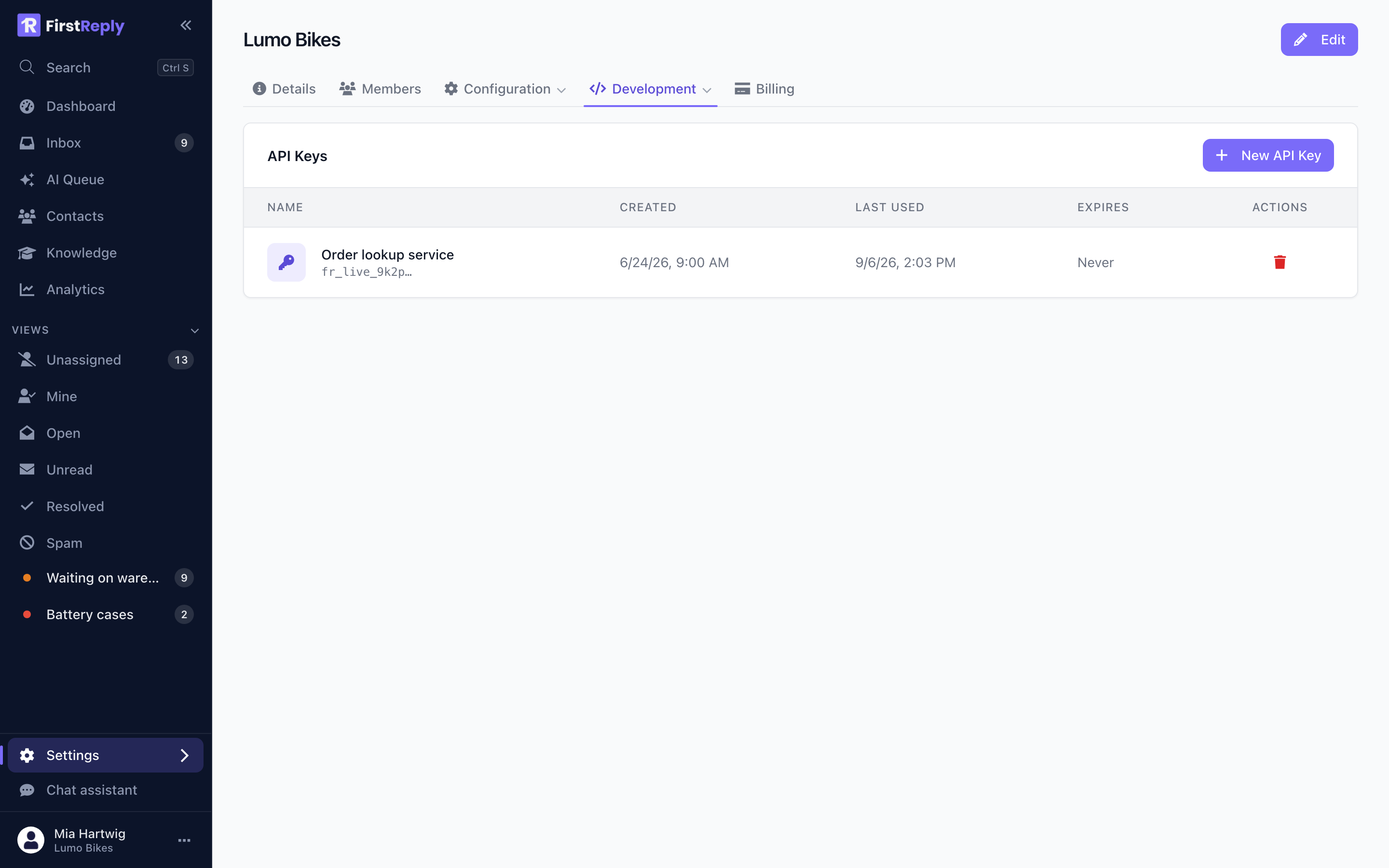
Create a key under Settings → Development → API keys. Creating them needs the Admin role.
A key has a name and an optional expiry. The secret is shown once, on creation, and never again — FirstReply stores only a hash of it. If you lose it, delete the key and create another.
Keys start with a visible prefix, which is what the list shows. That is enough to tell keys apart without exposing any of them.
The list also shows when each key was last used, which is how you find the ones nobody needs any more.
Authentication
Send the key as a bearer token:
curl https://api.firstreply.ai/v1/organizations \
  -H "Authorization: Bearer fr_live_..."
A key acts with the permissions of the workspace owner. There is no narrower scope. Treat a key as you would the owner's password: keep it in a secret store, never in a repository or a frontend bundle, and give each integration its own so one can be revoked without breaking the others.
Rotating a key
- Create a new key.
- Deploy it to the integration.
- Confirm the new key is being used — the "last used" column on the old one stops moving.
- Delete the old key.
Deleting takes effect immediately.
What people build
Filling in customer data. Write custom fields on contacts from the system that owns them, so agents see the plan and the customer number without leaving the conversation.
Creating conversations. Open a conversation from your own application when something needs support attention, and let the reply come back through the normal channel.
Reporting. Pull conversation statistics into whatever your company already uses for dashboards.
Reacting to events. For anything event-driven, a webhook is the better mechanism than polling the API.
Client libraries
Java — firstreply-java-api, published from the same repository as the
product.
Node — the MCP server ships a small REST client you can read as a reference implementation.
For anything else, the OpenAPI specification at api.firstreply.ai generates a usable client in most languages.
Limits and errors
The API returns standard HTTP status codes. 401 means the key is missing,
wrong or revoked; by convention in the FirstReply apps a 401 on a session
token means the session expired, and the same code on an API key means the key
is no longer valid.
Requests are rate limited per key. A 429 carries a Retry-After header;
back off rather than retrying immediately.