Templates
A template is a saved reply. Your team inserts one from the editor; the assistant uses one when the classification it is answering points at it.
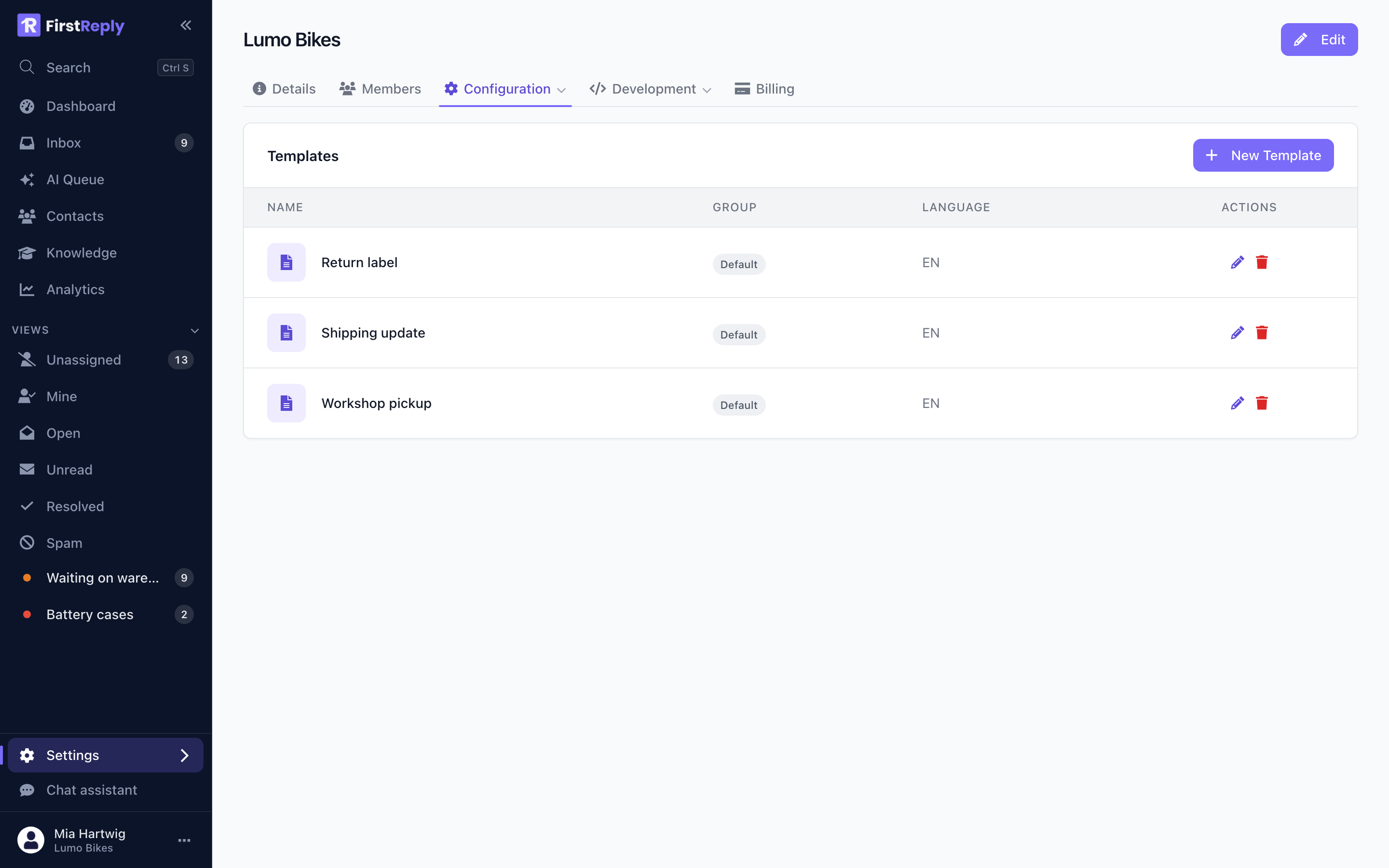
Manage them under Settings → Configuration → Templates. Creating and editing needs the Manager role or higher.
When a template is the right tool
Use a template when the wording should be identical every time:
- A return label with packing instructions that must not be paraphrased.
- A shipping confirmation with a tracking link.
- Anything legal, or anything finance approved.
Use the knowledge base instead when the answer depends on the question. A template is fixed text; an article is material the assistant reasons from. Most support answers want the second.
The failure mode worth avoiding is a library of forty templates that nobody maintains, half of which contradict the knowledge base. Ten good templates plus a good knowledge base beats it.
Writing one
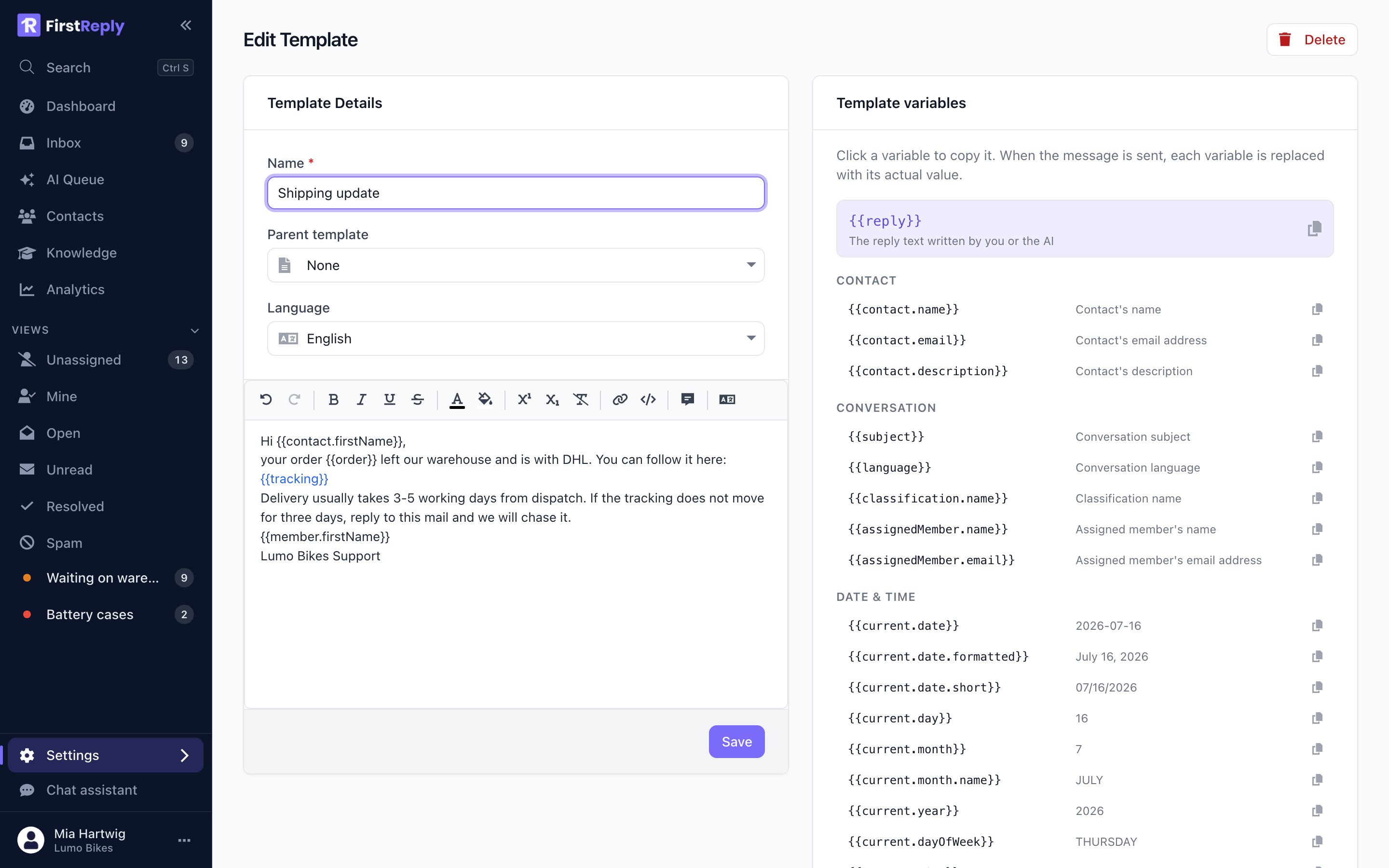
A template has a name, a language, and the text in rich and plain form. Both versions are stored, so the reply renders correctly in every mail client.
The name is what your team picks from the list. Name it after the situation ("Return label"), not after the content ("DHL instructions").
Placeholders
Placeholders are filled in when the template is inserted:
| Placeholder | Fills in |
|---|---|
{{contact.firstName}} | The contact's first name |
{{contact.lastName}} | Their last name |
{{member.firstName}} | The first name of whoever is sending |
A placeholder with nothing behind it renders empty, which is why a greeting
built on {{contact.firstName}} reads badly on a contact with no name. For
channels where names are often missing — website chat, app stores — write the
template without a greeting.
Languages
A template carries a language. Create one per language you support and give them the same name; the right one is used based on the conversation's language.
Using them
Your team inserts a template from the button at the bottom left of the editor. It goes into the editor as normal text, so it can be edited before sending — which is the point. A template is a starting point, not a send button.
The assistant uses the template attached to the classification it is answering, where one is set.
Keeping them honest
Templates go stale in a way articles do not, because nothing about them fails when the underlying fact changes. A template promising a five-day refund keeps promising it long after the policy became three.
Review them when the underlying policy changes, and delete the ones nobody has used in six months.