Knowledge sources
A knowledge source is a place FirstReply fetches content from on a schedule. It is how the knowledge base stays current without anyone maintaining it twice.
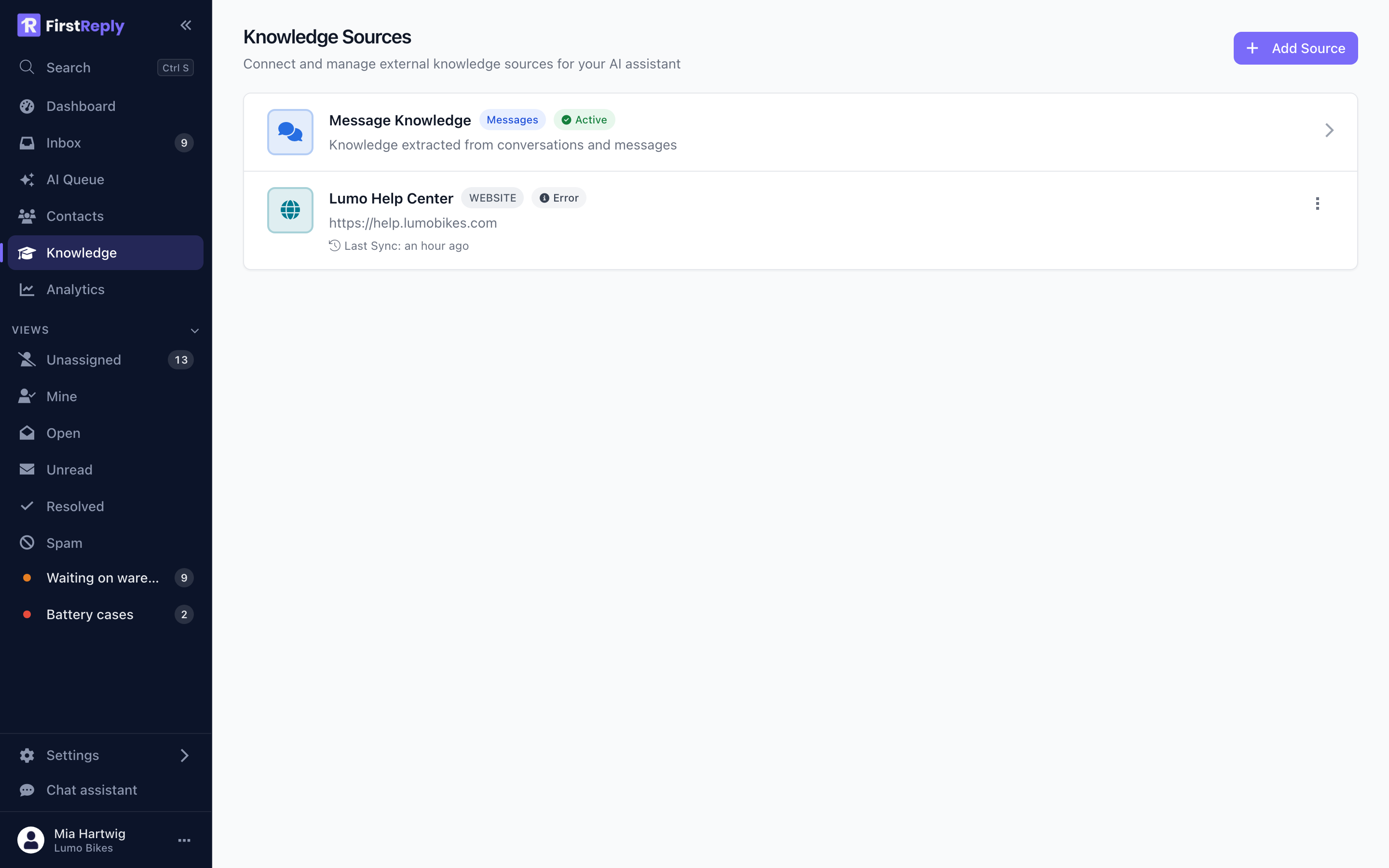
Find them under Knowledge in the sidebar. Adding one needs the Manager role or higher.
Available source types
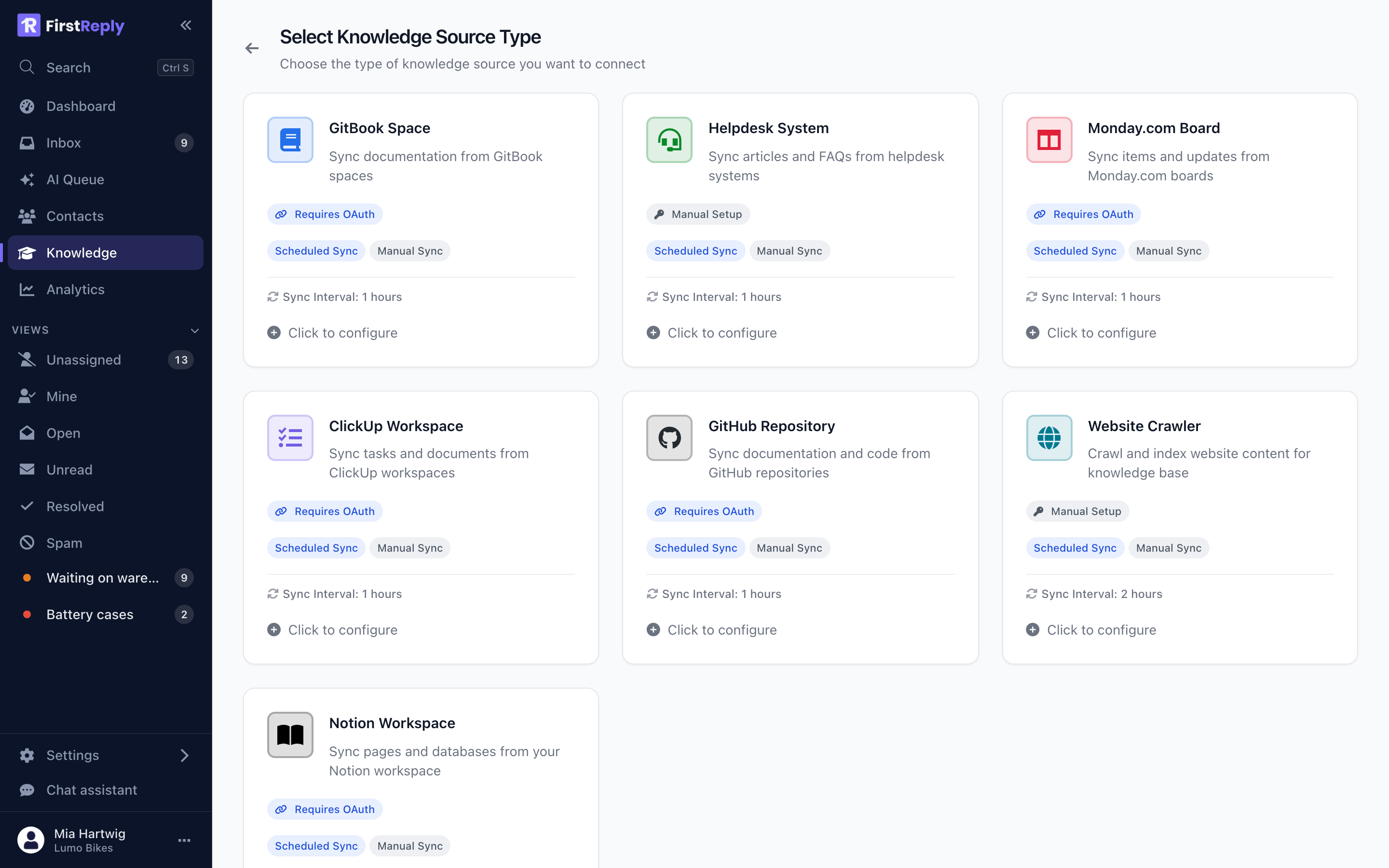
Website — crawls a public site. The right choice for a help center, documentation site or FAQ that already exists. No credentials needed.
Notion — connects a Notion workspace and syncs the pages you share with the integration.
GitHub — syncs Markdown files from a repository. Useful when your documentation lives next to your code.
GitBook — syncs a GitBook space.
ClickUp and Monday — sync documents from those workspaces.
Helpdesk — imports articles from an existing help desk.
Each type asks for what it needs and nothing more. Types that need authorization run an OAuth flow rather than asking you to paste a token where one can be avoided.
Adding a website source
The most common case. Add a source of type Website and fill in:
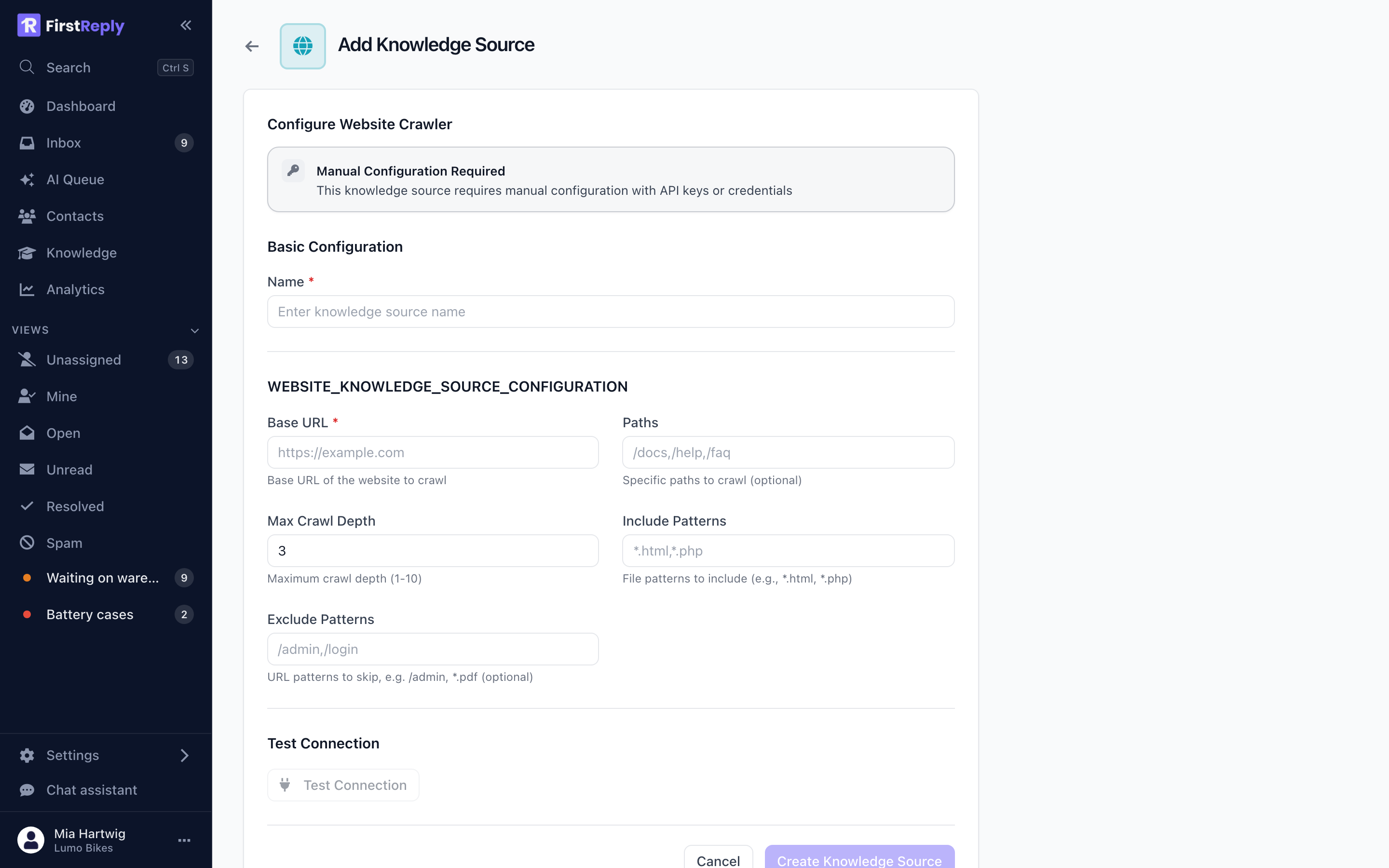
Base URL — where the crawl starts, for example
https://help.yourcompany.com.
Paths — a comma-separated list of paths to crawl, for example
/docs,/help,/faq. Leave empty to crawl from the base URL.
Max depth — how many links deep to follow, 1 to 10. Three is usually right for a help center; more tends to pull in blog archives and legal pages that dilute the results.
Include patterns and Exclude patterns — narrow the crawl further. The
usual exclusions are /blog, /careers and anything behind a login.
Then set a sync interval. Twelve hours suits a help center that changes weekly. Hourly makes sense only for something that genuinely changes hourly.
What happens on a sync
- FirstReply fetches the content.
- Each article is split into chunks of a few paragraphs.
- Each chunk is embedded, in batches, so it can be found by meaning as well as by keyword.
- Chunks that have not changed are left alone, so a sync of an unchanged site is cheap.
The source shows its last sync time, its status and how many articles it holds.
When a sync fails
A failed sync marks the source ERROR and leaves the previous content in place. This is deliberate: a knowledge base that empties itself because a site was briefly unreachable would take the assistant's answers with it.
The same applies to an empty result. A sync that returns zero articles keeps the existing rows rather than deleting them, because "the crawl found nothing" is far more often a broken crawl than a genuinely emptied site.
Common causes of an ERROR status:
- Rejected credentials. For OAuth sources, access was revoked on the provider's side. Reconnect the source.
- The site is unreachable, or blocks crawlers in
robots.txt. - The paths no longer exist after a site restructure.
The error message on the source names which one it was.
OAuth sources and tokens
For sources that authorize over OAuth, the credentials live encrypted in the source configuration. The edit form never sends them back to the browser, so editing a source's name or interval cannot accidentally wipe its token.
Tokens that are close to expiring are refreshed before a sync runs. If a refresh fails, the sync is not attempted and the source is marked ERROR rather than quietly returning nothing.
Choosing what to sync
More is not better. The knowledge base competes with itself: a marketing page that mentions shipping in passing can outrank the shipping policy for a shipping question.
Sync the pages that answer questions. Exclude the ones that describe the company, sell the product or discuss the roadmap. If a page would not help a support agent answer a customer, it will not help the assistant either.