Custom fields
Custom fields carry the facts about a customer that FirstReply cannot know: their customer number, their plan, which product they bought, how long they have been with you.
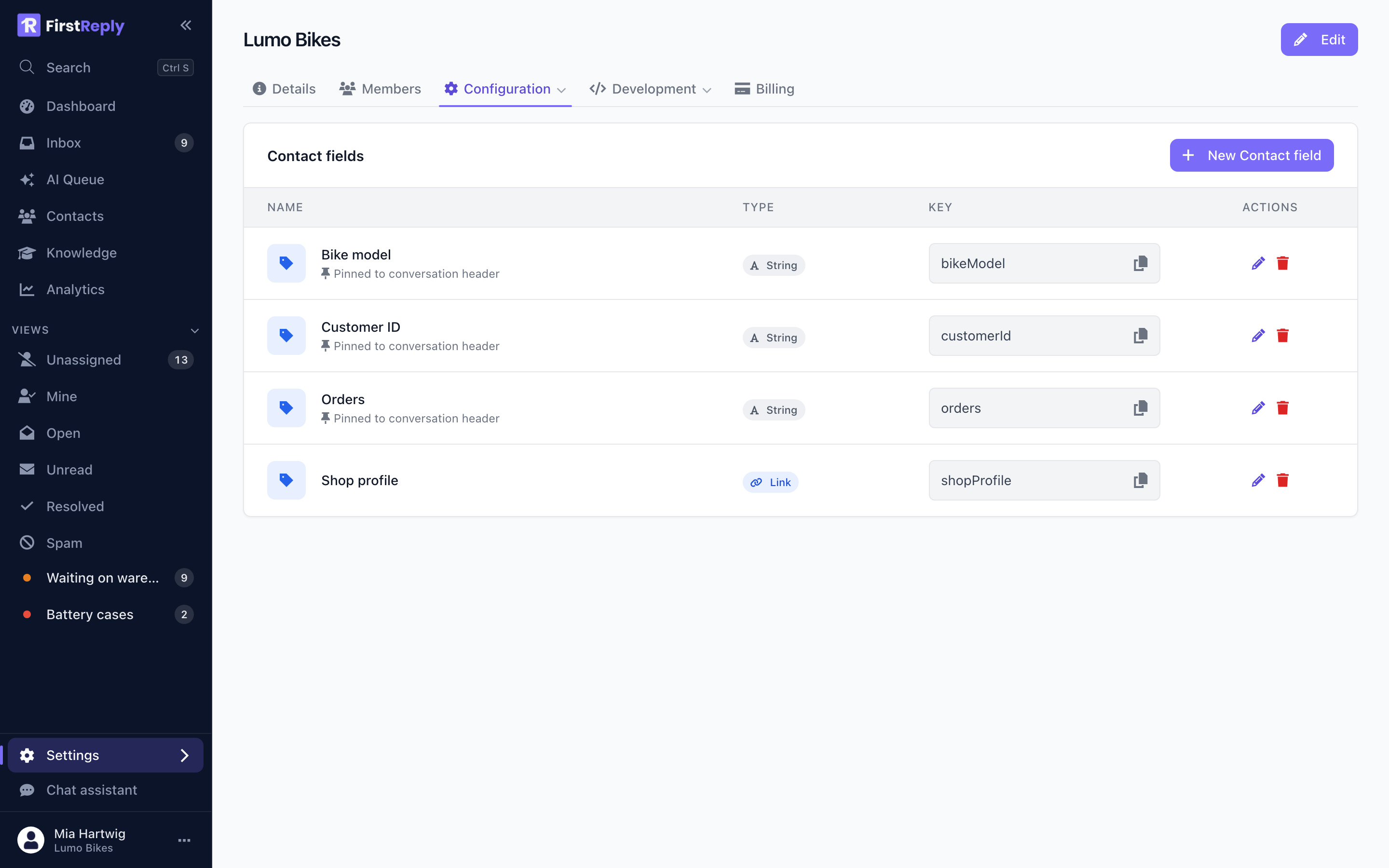
Manage them under Settings → Configuration → Contact fields. Creating them needs the Manager role or higher.
Field types
Text — a plain value. Customer number, plan name, product.
Link — a value that becomes a clickable URL, built from a prefix you set
plus the stored value. Store the customer id, set the prefix to
https://shop.example.com/admin/customers/, and the field renders as a link
straight into your own system. This is the field type that saves the most time.
Button — an action rendered as a button on the contact.
Showing fields in conversations
Each field has a show in conversation switch. Fields with it on appear as chips in the conversation header, next to the contact's name.
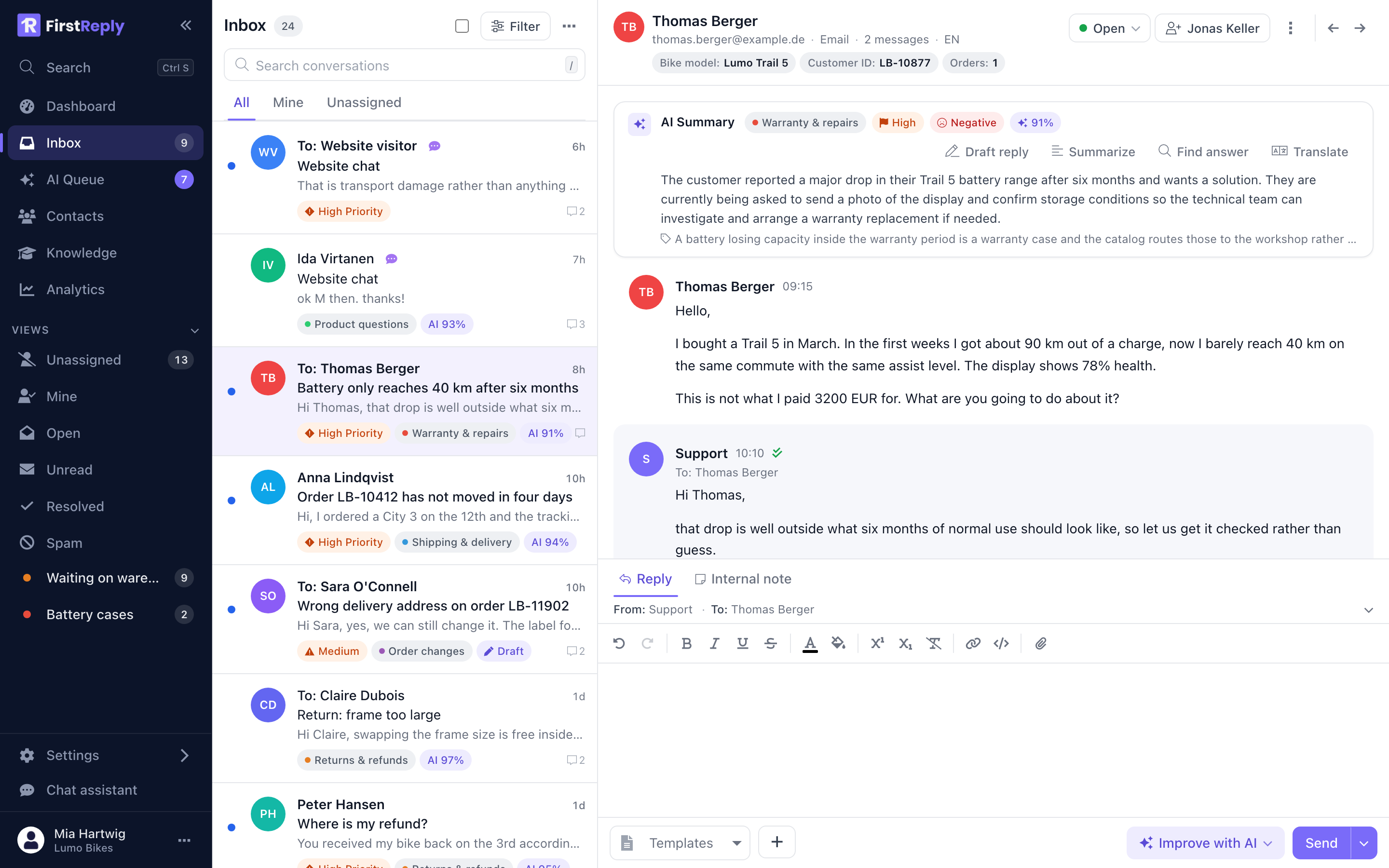
Be selective. Two or three fields in the header are read every time; eight are read never. Turn it on for the facts that change the reply — plan, product, customer number — and leave the rest on the contact page.
Filling them in
By hand. Edit the contact and type the value. Fine for a small number of customers or for a value you only need occasionally.
Through the API. Set field values from your own system, so the customer number and plan in FirstReply come from the system that owns them. This is the right approach at any real volume; see The API.
Through a webhook. React to a new contact being created by looking the person up in your own system and writing the values back. See Webhooks.
What to add
Add a field when the answer to "what would I want to know before replying to this person" is not already on the screen.
Good candidates: customer number, plan or tier, the product they own, their account manager, a link into your own admin.
Poor candidates: anything you can see in the conversation already, anything that changes daily and will therefore be wrong, and anything you would not actually look at.
Fields and the AI
Custom field values are part of the conversation context the assistant sees, so a reply can take account of which plan someone is on or which product they bought — provided the knowledge base says something different for the different values.
A field with no corresponding article changes nothing about the answer.
Removing a field
Deleting a field removes its values from every contact. There is no undo, so export first if the values came from somewhere you cannot regenerate them.